
User journeys
Ticketing flow & your pass
What a guest sees from tapping Book to showing the pass at the door — with real screens.
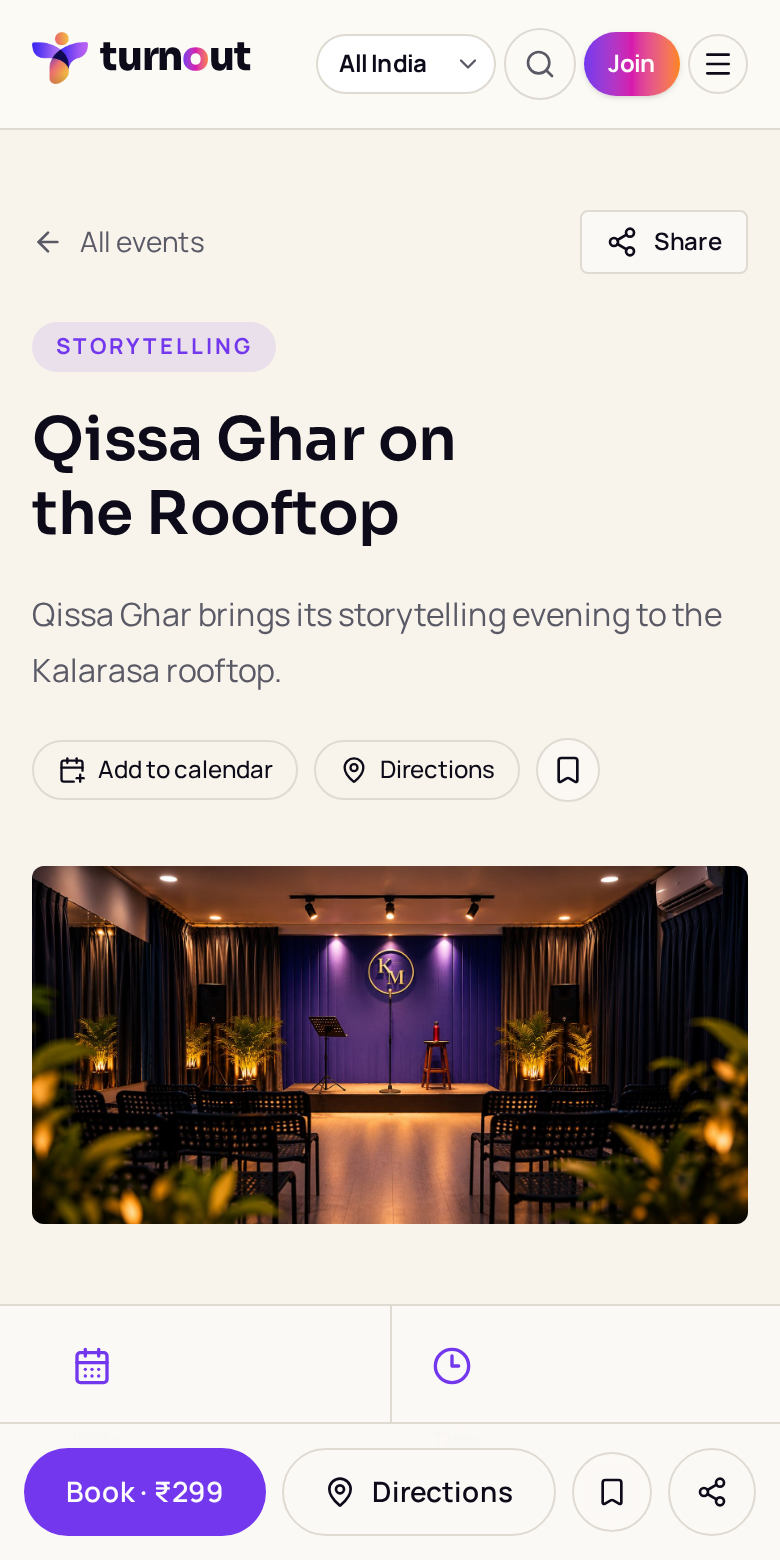
Event page with the sticky Book button →
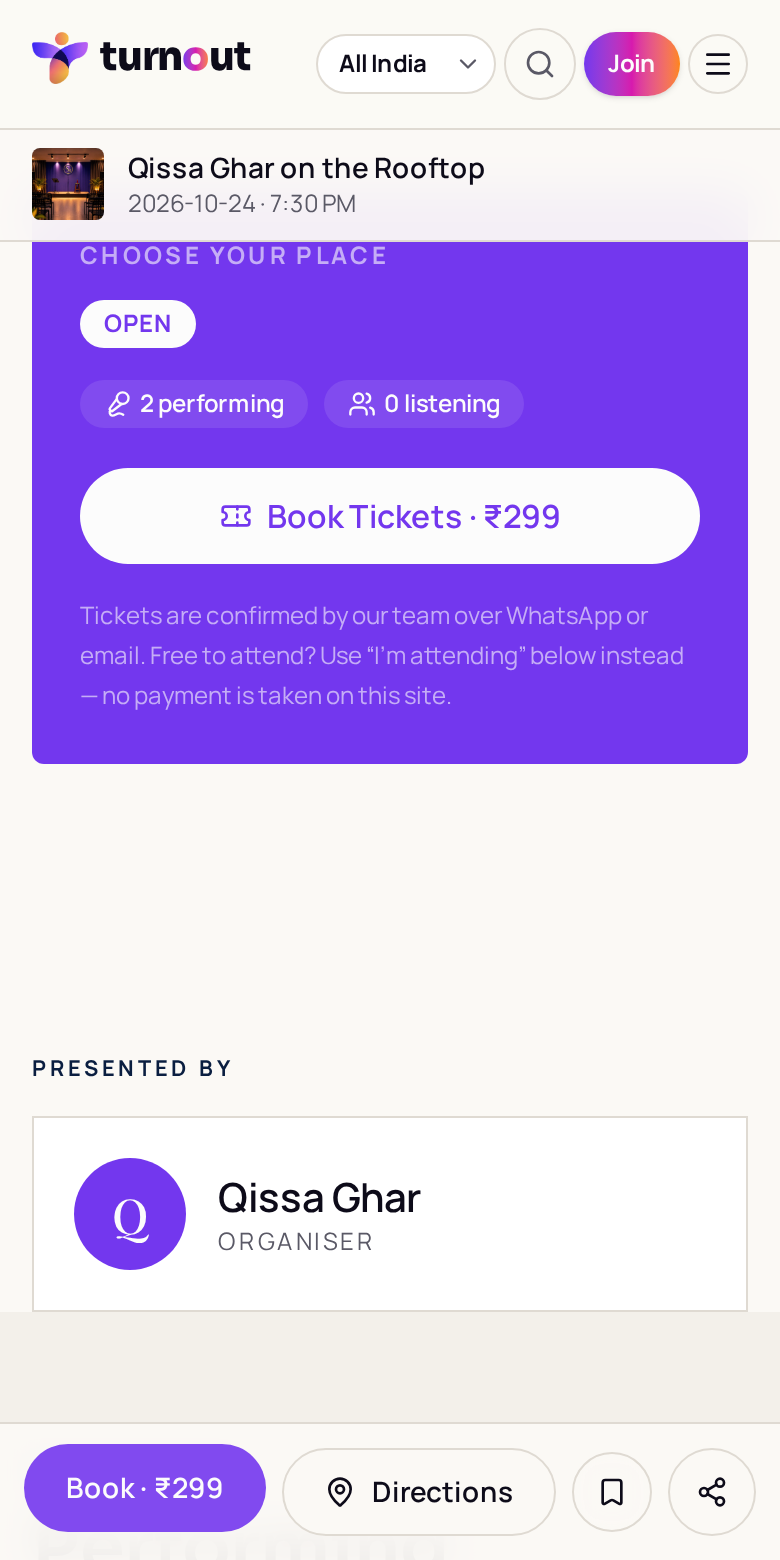
Choose your place: tickets and performer slots →
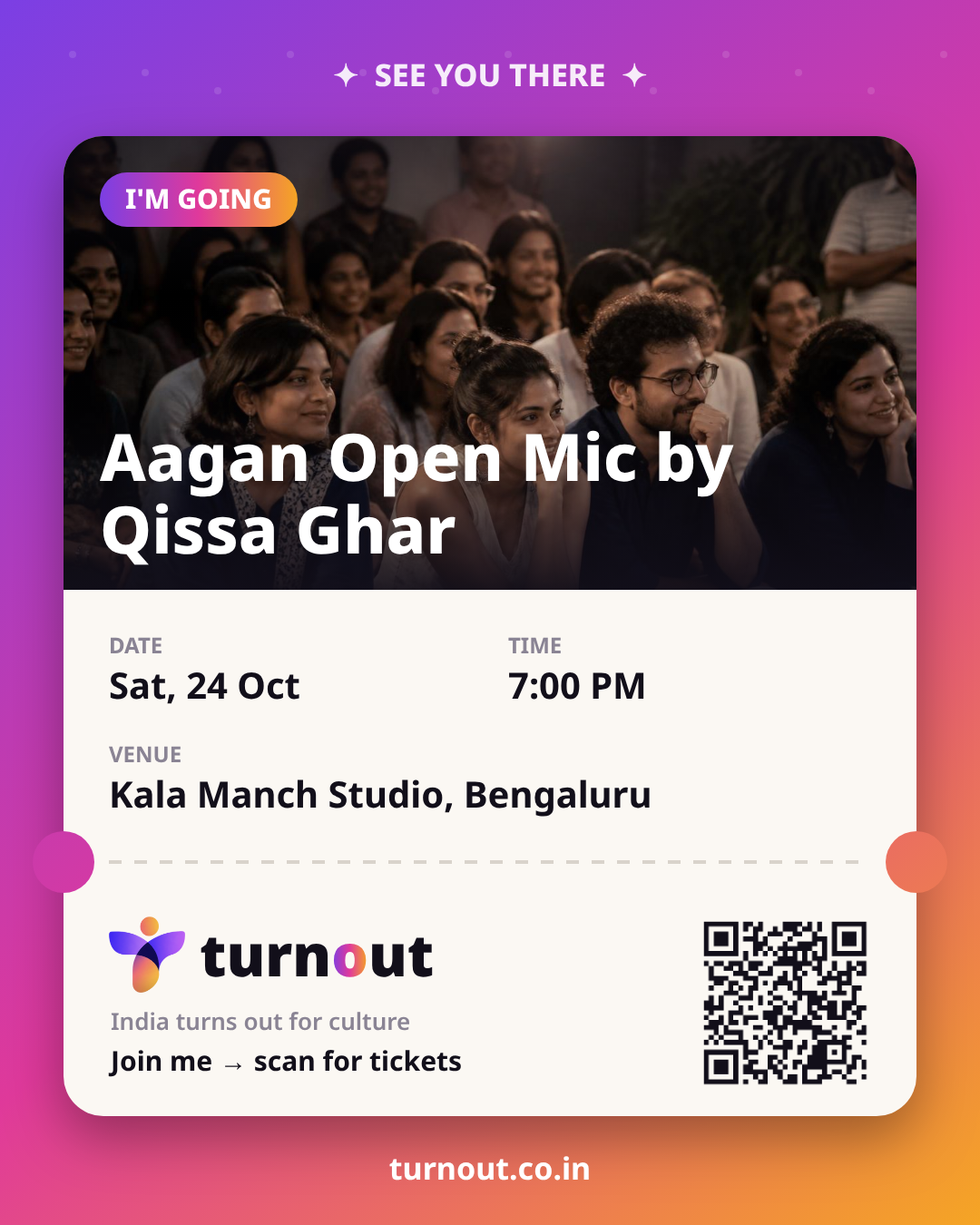
The branded pass guests share on WhatsApp & Instagram →
1. Open the event
- 1Poster, date, time, venue and lineup at the top
- 2Add to calendar, Directions and Save sit right under the title
- 3On phones, Book · price stays pinned at the bottom
2. Choose your place
- 1Pick a tier — Early Bird, General, VIP — or a performer slot on open mics
- 2Live counts show how many are performing and listening
- 3Sold-out or closed tiers are greyed out automatically
3. Sign in and pay
- 1Continue with Google (1 tap) or a WhatsApp code
- 2Name and phone prefill from your profile
- 3₹0 tickets confirm instantly
- 4Paid: pay the organiser's UPI, enter the UTR and optionally a screenshot
- 5Status shows Payment being verified until the organiser taps Verify & send pass
4. The pass
- 1My Turnout → Bookings shows the pass: poster, status, date, venue, tear-off line, QR and ticket number
- 2Show at the door opens a full-screen bright QR for scanning
- 3A WhatsApp message with the pass link and directions is sent once the template is approved
5. Share the pass
Share pass makes a 1080×1350 Turnout-branded card (above) with the poster, date, time and venue. Its QR opens the public event page so friends can book — your private entry QR is never in the shared image.
Story card makes a 9:16 version for Instagram Stories.
Try it · WhatsApp pass preview
Hi Asha, your pass for Open Mic Night is confirmed 🎟️
Sat, 8:00 PM · Kala Manch Studio
View your pass
Get directions
Was this guide helpful?